 Latchel for Slack
What Latchel for Slack does
Latchel handles maintenance for property managers: work orders, vendors, resident communication and approvals. This app connects your Slack workspace to your Latchel account, so the conversation about a repair and the work order for it stay in step.
Answers in context
Latchel reads the thread you tag it in, so you don’t have to repeat the address or work order number.
Acts as you
Every lookup and change runs with your own Latchel login and permissions, so Latchel can only see and do what you can.
Nothing changes without you
Latchel shows each change before making it, and only the person who asked can confirm.
How it works in Slack
Mention @Latchel in any channel it’s been added to, message it directly, or use /latchel commands. Here’s what that looks like.
Ask about work orders right in the thread
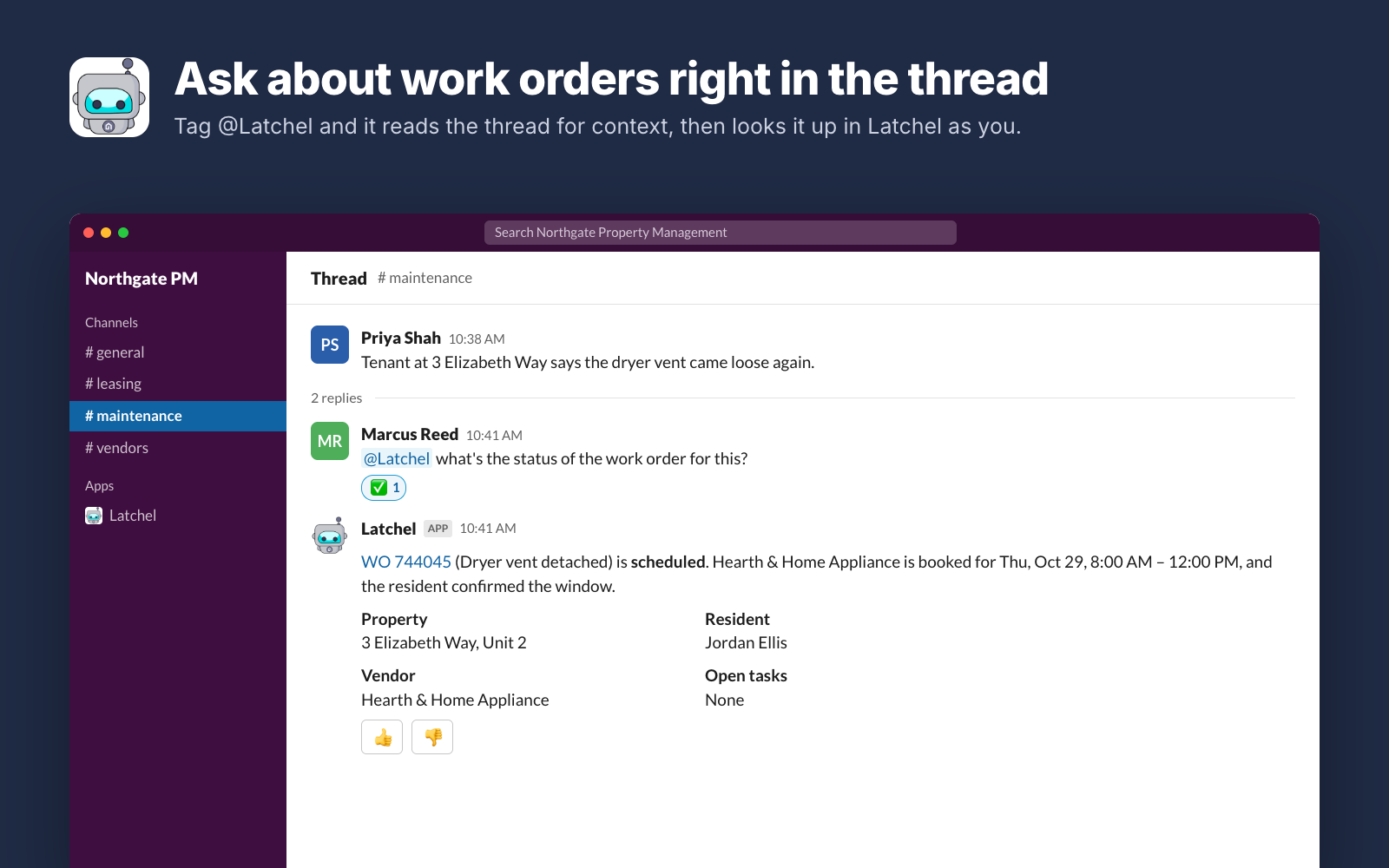
Tag @Latchel in a thread and ask what you need to know. Latchel reads the thread for context, looks it up in Latchel as you, and answers with the status, vendor, appointment and resident, plus a link to the work order.
Turn a conversation into a work order
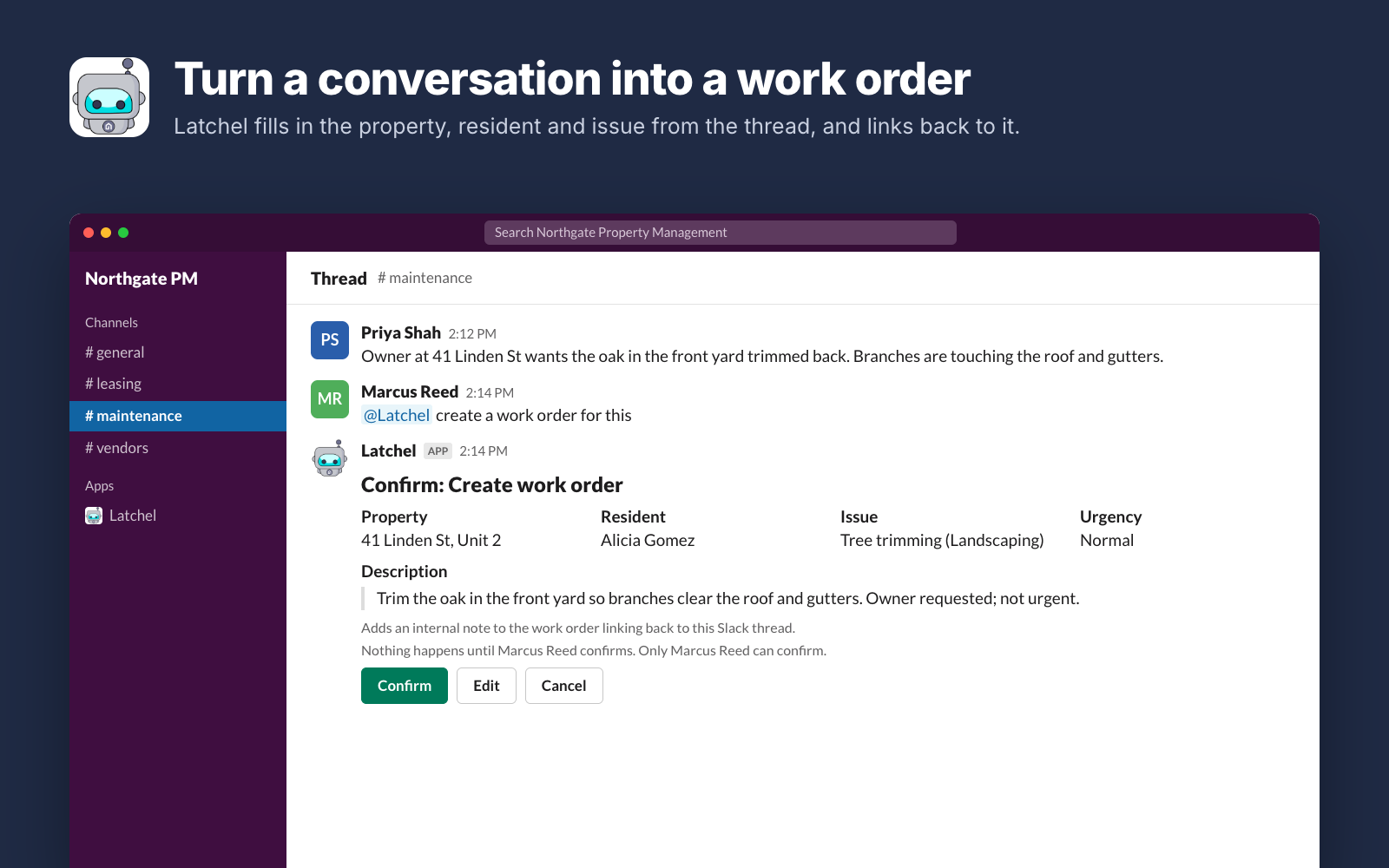
When a maintenance request comes up in Slack, say “@Latchel create a work order for this.” Latchel fills in the property, resident and issue from the thread, and adds a note on the work order linking back to the conversation.
See every change before it happens
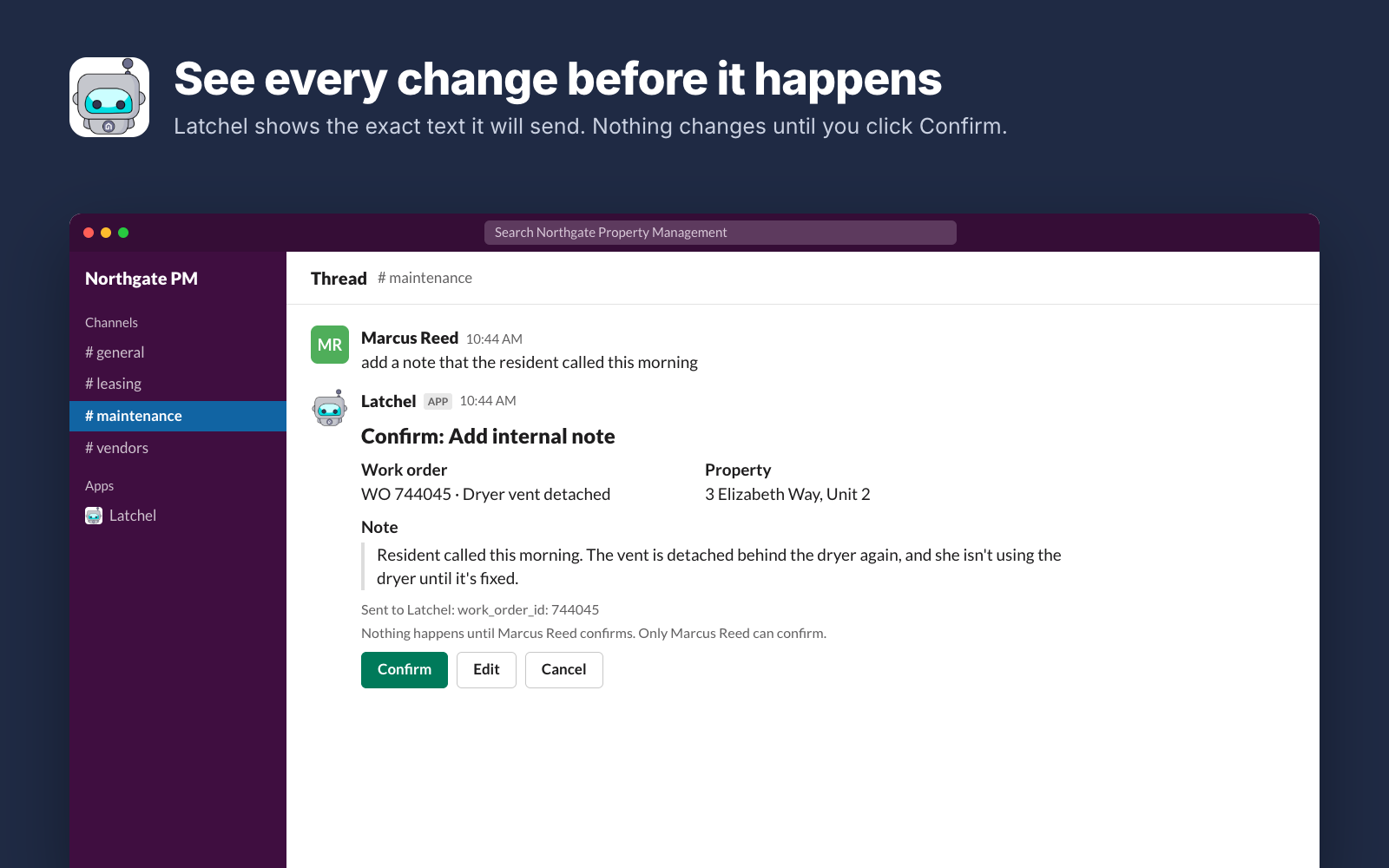
Before Latchel changes anything, it shows you exactly what it will send. Nothing happens until you click Confirm, and only the person who asked can confirm. You can edit the details or cancel instead.
Asks when it isn’t sure
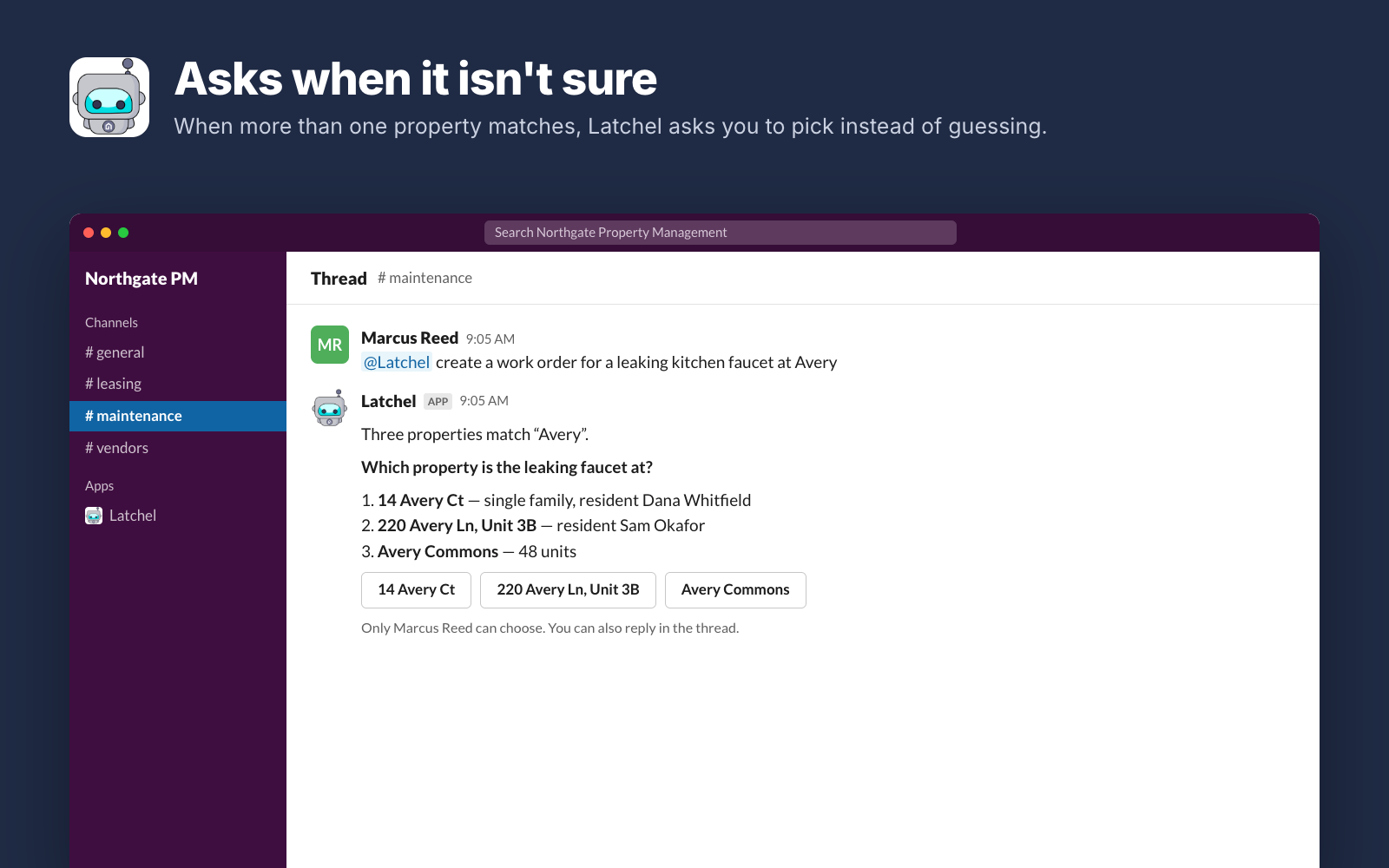
If more than one property, resident or work order matches, Latchel asks you to pick instead of guessing. Click a choice or just reply in the thread.
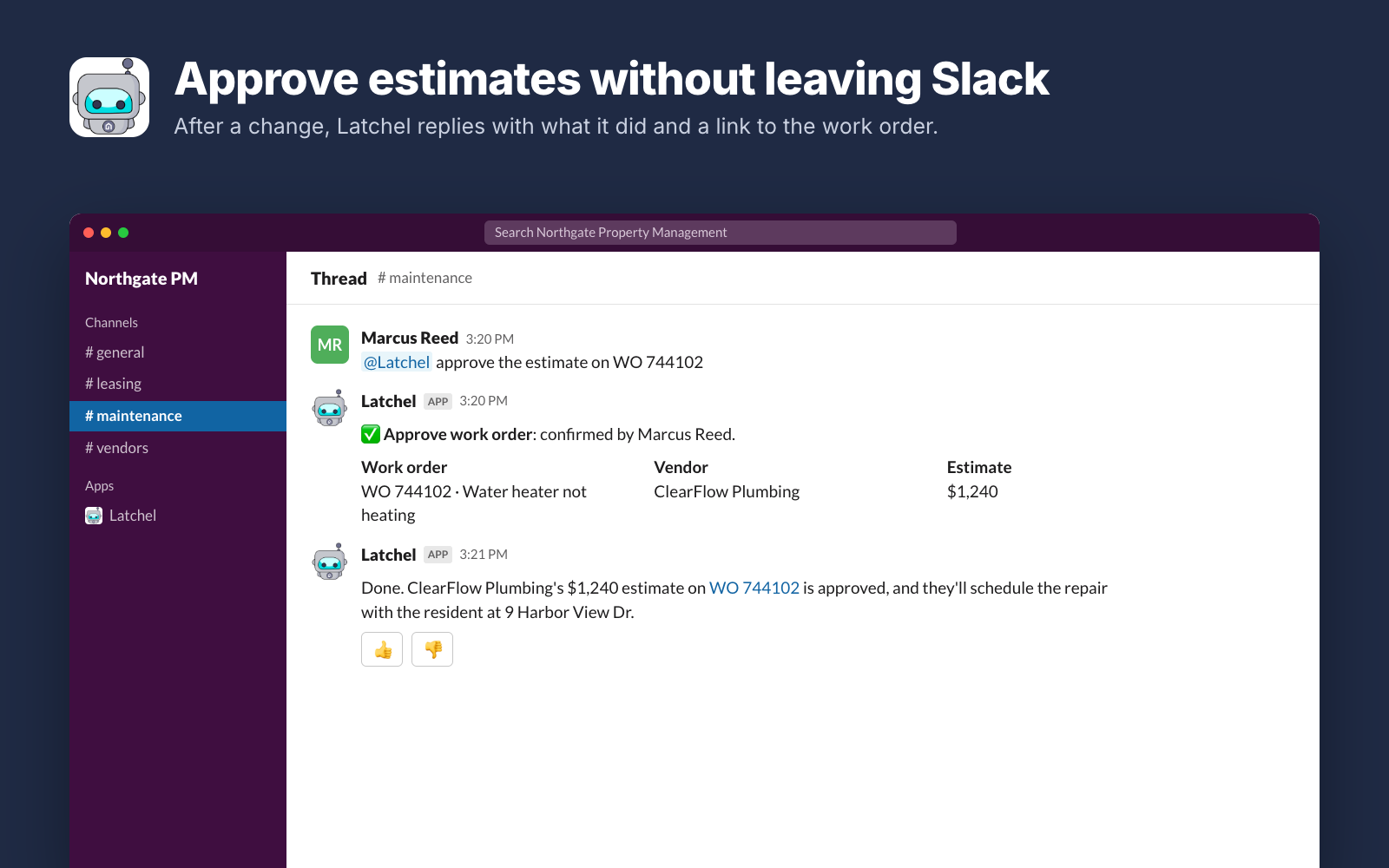
Approve estimates without leaving Slack
Approve or decline estimates, schedule work, message residents and vendors, add notes and manage tasks. After each change, Latchel replies with what it did and a link to the work order.
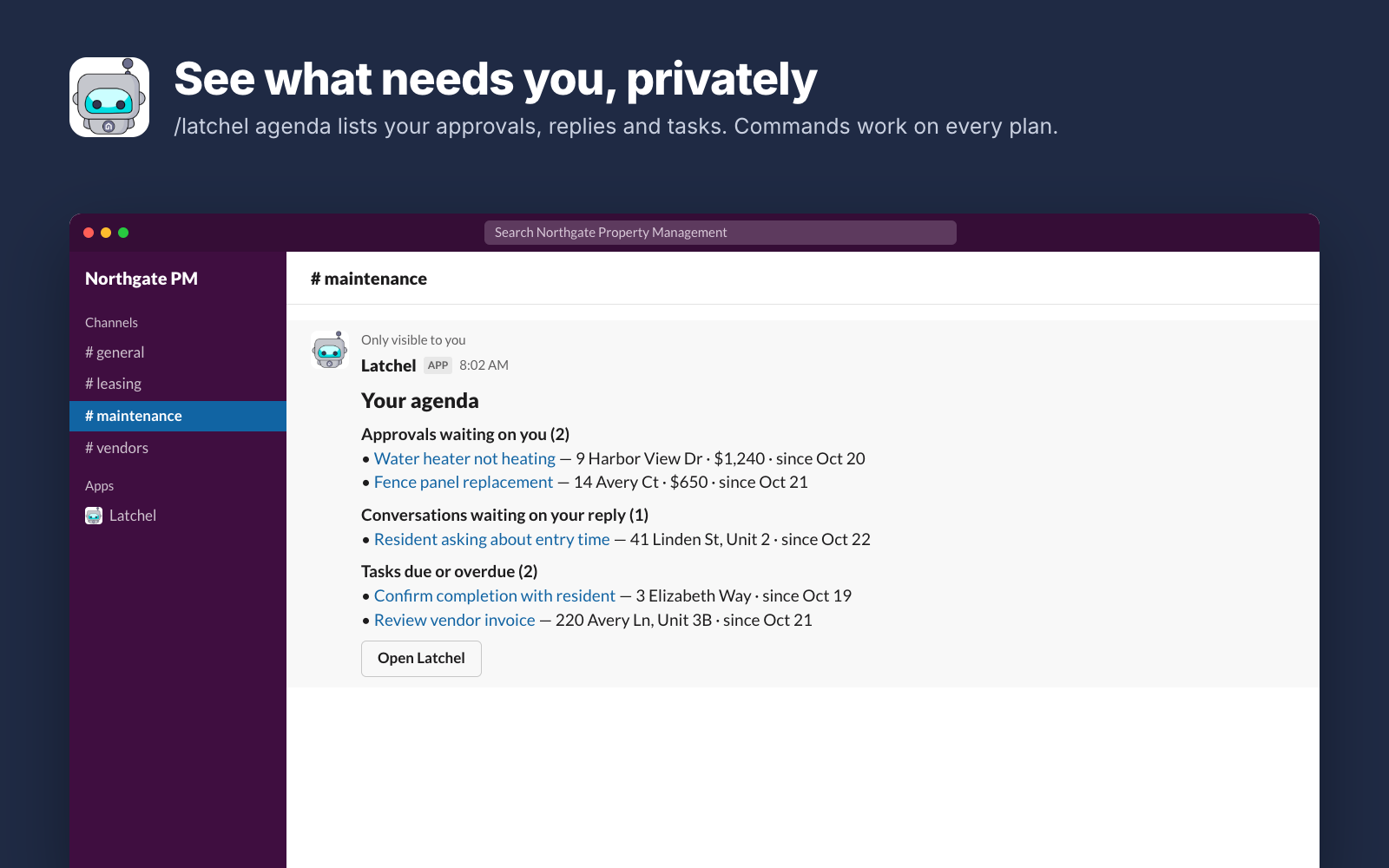
See what needs you, privately
/latchel agenda lists the approvals, resident conversations and tasks waiting on you, visible only to you. Slash commands like this work on every Latchel plan.
Get started
Setup takes about two minutes. You’ll need a Latchel account, and permission to add apps to your Slack workspace (or an admin to approve the request).
Add to Slack
Click Add to Slack and approve the permissions. You’ll land on a page with these same next steps.
Link your Latchel account
In Slack, type
/latchel linkand sign in to Latchel. The first person to link connects the workspace to your Latchel company; teammates link their own logins the first time they use it.Invite and ask
Type
/invite @Latchelin your maintenance channel, then tag @Latchel in a thread: “what’s the status of the work order for this?”
Handy commands (answered privately):
/latchel help: everything Latchel can do/latchel wo 4821: look up a work order/latchel agenda: approvals, replies and tasks waiting on you/latchel tasks: your open tasks/latchel settings: how Latchel behaves in your workspace
Plans, privacy and support
Plans
Commands like /latchel wo 4821 and /latchel agenda are free on every Latchel plan.
Plain-language requests (tagging @Latchel and asking in your own words) are included with Autopilot AI. Every other company gets one free plain-language request a week to try it. Ask your Latchel customer success manager about upgrading.
Your data
- Latchel only reads a conversation when someone tags @Latchel, messages it directly, or replies in a thread where they’re already talking to it. It never reads other channel chatter.
- Plain-language requests and the thread they’re in are processed by Anthropic’s Claude to understand the request.
- Your Latchel sign-in is stored encrypted. Unlink anytime with
/latchel unlink; removing the app from Slack stops all access. - Read more in Latchel’s Privacy Policy.
Support
Questions, problems or ideas? Email success@latchel.com, or type /latchel feature <your idea> in Slack to send a request straight to our product team.